Your whole team on one WhatsApp number, each under their own name.
The Team Inbox is where your staff read and answer every WhatsApp chat on your business number, each signed in as themselves, alongside the assistant and the WhatsApp Business app. Every reply goes out from your number with the sender's first name on it and comes back with a score and one tip within seconds. It is included in every Conciergr plan, with no per-seat fees.

Signing in
Everyone signs in as themselves.
You add your people on the Your team card in the Portal: a first name, an email address, a role, and a WhatsApp number if they should get urgent alerts, such as a child not collected. Each person signs in at conciergr.com/inbox with Google or a code we email them, on a phone or a computer.
Owners see the inbox and the Portal; Staff see the inbox, not your settings or billing. You can add up to ten people besides yourself. Remove someone and they lose access on their very next click.
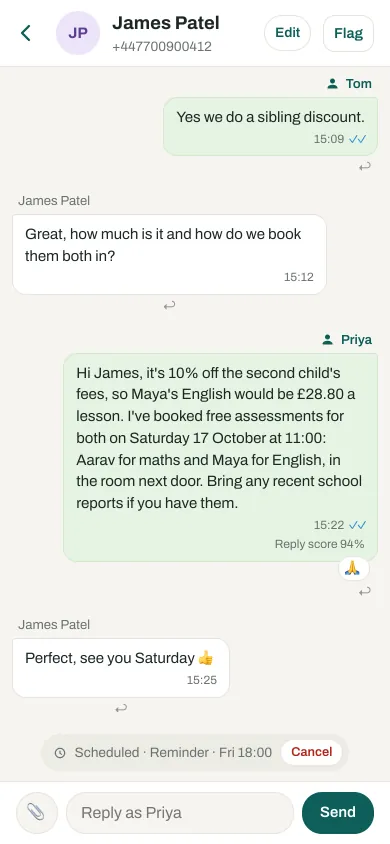
A reply typed in the inbox goes out from your business number and shows on the shop phone too, labelled with the sender's first name. Replies sent from the WhatsApp Business app show as Team phone.
Needs you
Chats that need a person wait where everyone can see them.
When the assistant hands a chat to your team, it waits under Needs you with the reason on a banner. Only something urgent, such as a booked customer at the door or a child not collected, also sends one WhatsApp alert to everyone on the team with a WhatsApp number, with a link to the chat. A holding reply such as “let me check with Tom” keeps it open as Waiting on Tom, so it can't be forgotten; a real answer closes it. Anyone can flag a chat for the team with a note, or close one that was settled by phone or in person.
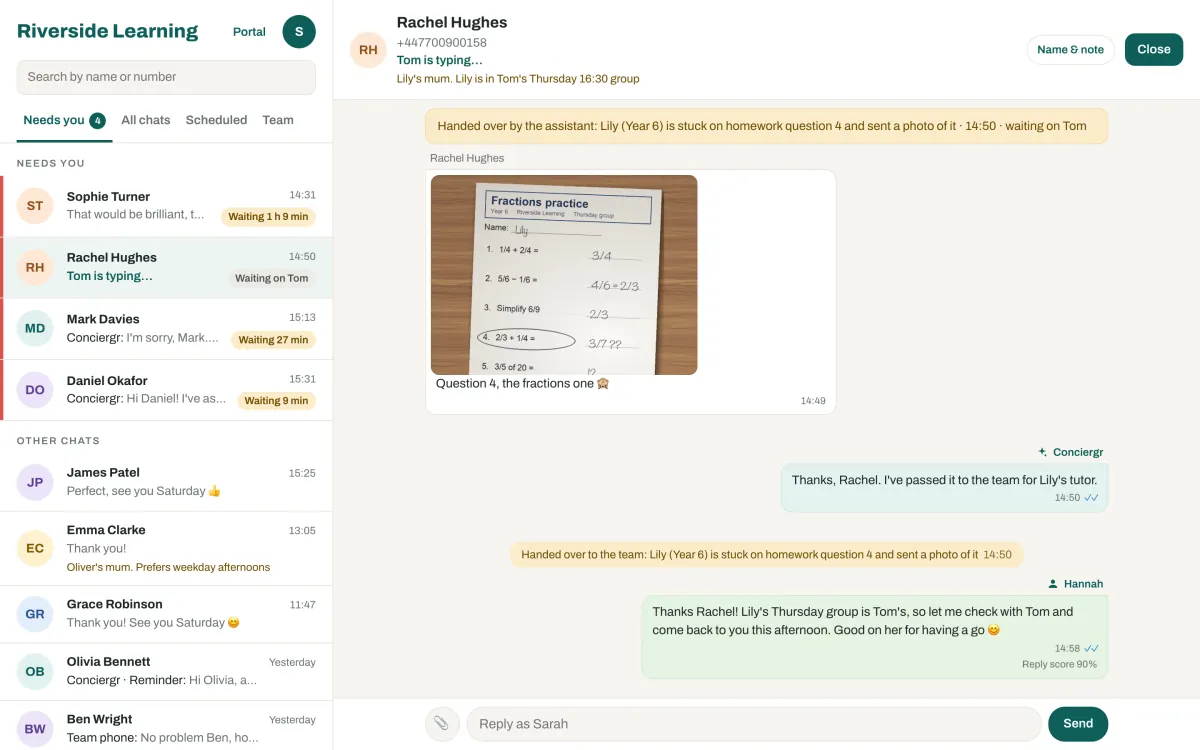
Photos, voice notes, videos and PDFs are kept for 90 days; after that the chat keeps a transcript or a description of each. The assistant's planned follow-ups show in the chat, where anyone can cancel one. Your team can give each customer a name and a note that only your team sees, and search every chat by name or number.
Scores and tips
Every reply gets a score and one tip, so the whole team gets better.
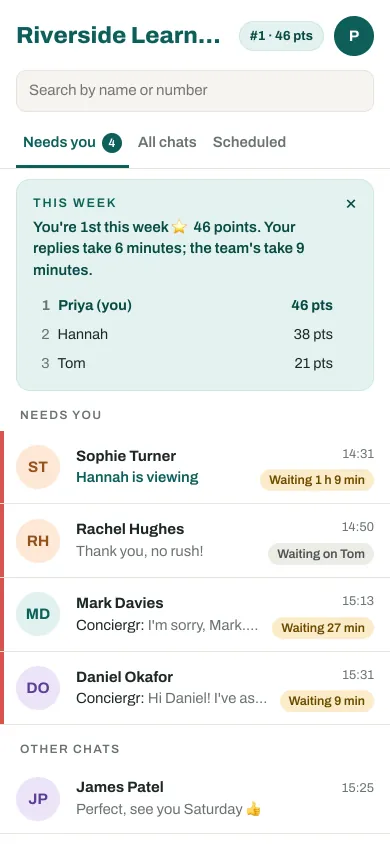
Within seconds of a reply, the person who sent it sees how it did on four questions: did it answer what was asked, fit this customer, read clearly and briefly, and leave a next step? With the score comes one tip, on the question they most often miss.
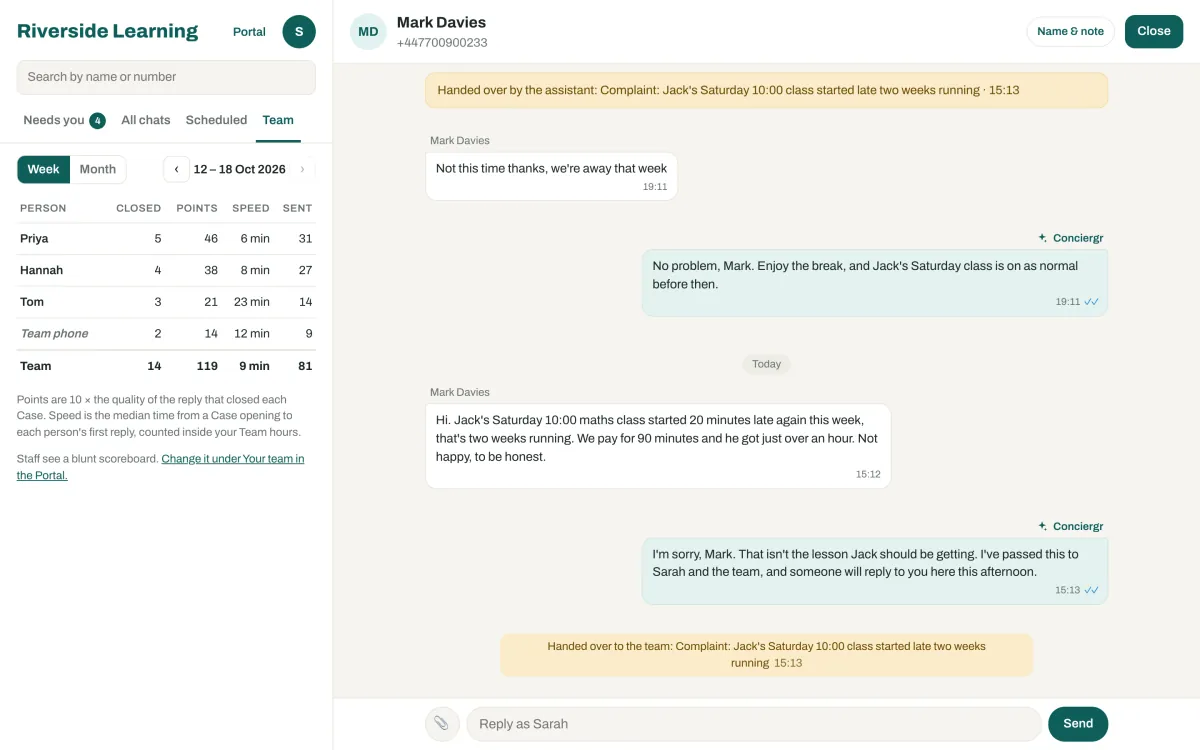
As owner, you get a Team page: who closed which chats, how fast and how well, by week or by month. Speed is shown, never counted in the points, so nobody rushes an answer to climb the board. Whether staff see a weekly scoreboard, and whether it is blunt or friendly, is your choice. Scores are shown only to your own team and never used to train AI models.
On a phone
Answer from the corridor between lessons.
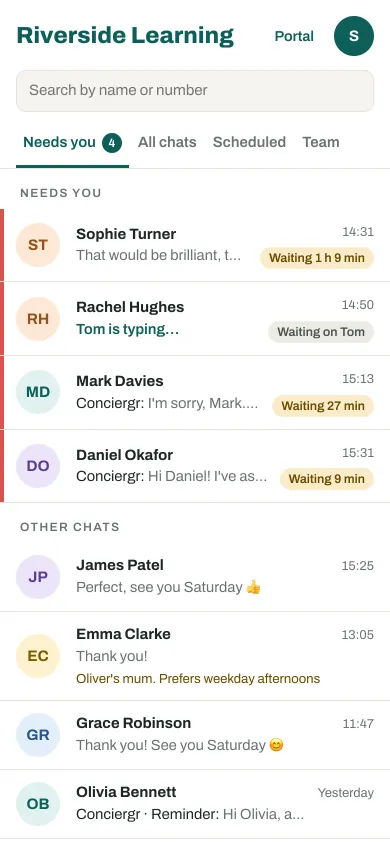
The inbox works the same on a phone: the list of chats, one chat at a time, and your own standing for the week.
With the assistant
The assistant answers; your team steps in when it matters.
Conciergr answers every customer from your own Google Doc and Sheet, in seconds, day or night. When someone on your team replies, from the inbox or the phone, the assistant steps back in that chat for 10 minutes after their last message, then answers new messages again. Read how the assistant works on the home page, or see pricing: the Team Inbox is in every plan, and there is no charge per person.
Questions
About the Team Inbox.
Is the Conciergr Team Inbox included in every plan?
Yes. Every Conciergr plan includes the Team Inbox, with no per-seat fees: the account owner plus up to ten more people, each with their own sign-in.
Can our staff keep using the WhatsApp Business app with the Team Inbox?
Yes. Conciergr's Team Inbox works alongside the WhatsApp Business app on the same number. Replies sent from the app show in the inbox as Team phone, and replies sent from the inbox show on the phone too.
Who can see the reply scores in Conciergr's Team Inbox?
Only your own team. In Conciergr's Team Inbox each person sees their own scores and tips, the owner sees everyone's on the Team page, and staff see a weekly scoreboard only if the owner turns it on. Scores are never used to train AI models.
Will Conciergr's assistant talk over staff who answer in the Team Inbox?
No. When someone replies, from the Team Inbox or from the phone, Conciergr's assistant steps back in that chat for 10 minutes after their last message, then answers new messages again.
Can we reply from Conciergr's Team Inbox more than 24 hours after a customer last wrote?
Yes, within WhatsApp's rules. WhatsApp lets a business reply freely for 24 hours after the customer's last message. After that, a reply from Conciergr's Team Inbox goes as a WhatsApp template message, which Meta charges to your business at its marketing rate, and the inbox tells you so before you send. Where that template is not yet available on your number, the inbox says so, and the reply can go once the customer writes again.
Get started